GoodNotes vs Notability for Mom Entrepreneurs: Plan Smarter
Balancing mom life and business goals takes smart planning. Digital note-taking apps make that easier, especially when tools like GoodNotes and Notability turn an iPad into a portable planner. Both help organize ideas, school schedules, client meetings, and family budgets in one place. GoodNotes fits moms who love structured notebooks, while Notability works best for those who need quick audio notes and flexible layouts.
She can map out her week with color-coded lists in GoodNotes templates or record meeting notes with Notability’s synced audio. With drag-and-drop tools, reusable digital stickers, and cloud syncing, these apps make staying on top of home and work commitments easier. Simple templates like “Morning Routine” or “Weekly Goals” turn planning into a quick ritual instead of another chore.
Choosing between GoodNotes and Notability comes down to workflow style. Moms who plan projects with visual boards may prefer GoodNotes’ layout. Those who multitask and like to voice-record reminders may lean toward Notability. Either way, digital planning keeps everything organized and accessible—perfect for building structure in a busy day.
Key Takeaways
- GoodNotes offers a structured system for visual planners.
- Notability’s quick tools and audio sync help capture ideas fast.
- Picking the right app depends on how she organizes her daily tasks.
GoodNotes vs Notability: Which Planning App Suits Mom Entrepreneurs?
Busy moms running businesses need note-taking apps that keep up with their schedules, organize tasks clearly, and save time without added stress. Both GoodNotes and Notability bring helpful tools for digital planning, but they shine in different ways depending on how a mom entrepreneur likes to work.
The Digital Planning Needs of Busy Moms
Mom entrepreneurs juggle school drop-offs, client emails, meal plans, and content calendars—often all before noon. They need a planner that helps them blend personal and business life on one screen.
Key needs include:
- Quick note access with minimal clicks
- Templates for schedules, invoices, or social media posts
- Cross-device syncing for easy updates anywhere
- Space for creativity and reflection
GoodNotes fits moms who prefer structured, visual layouts. It mimics paper planners with folders, tabs, and handwriting that feels authentic. For example, a mom can use separate notebooks for “Home,” “Kids,” and “Business” while keeping everything color-coded.
Notability, on the other hand, suits moms who rely on speed. They can record voice notes during errands and have synced written text appear alongside. Apps like GoodNotes 6 vs Notability (2026 Review) show how both now include AI tools to make planning smarter—like auto-suggesting to-do lists from handwritten notes.
What Sets GoodNotes and Notability Apart
GoodNotes emphasizes organization and structure. It offers nesting folders, handwritten search, and drag-and-drop templates. A mom designing a digital planner can use GoodNotes’ folder system to sort finances, goals, and child schedules seamlessly.
Notability focuses more on speed and integration. It lets users combine typing, drawing, and voice memos on one page, ideal for moms handling school calls while drafting proposals. According to Tablet Geeky’s review, GoodNotes feels like a notebook, while Notability feels like a hybrid between notes and audio journaling.
| Feature | GoodNotes | Notability |
|---|---|---|
| Folder System | Infinite nesting | Single-level |
| Audio Recording | Basic | Advanced audio sync |
| Templates | Extensive | Limited |
| Ease of Use | Visual and manual | Streamlined and fast |
Moms who thrive on order may lean toward GoodNotes, while those who multitask through voice reminders and quick edits may prefer Notability.
Real-Life Scenarios for Mompreneurs
A mom running a handmade jewelry shop can sketch designs in GoodNotes, using digital pens to test layouts before finalizing a batch. She can then duplicate the page as a production checklist.
Another mom coaching clients might rely on Notability. She could record sessions, jot notes, and later replay sections to create summaries. It saves time and captures tone and context better than typing alone.
For daily use, a few quick ideas include:
- Use Sunday evenings to update weekly spreads.
- Store kid activities and client meetings in one planner.
- Import free planning templates from creative marketplaces.
Comparisons on CRM.org’s review show that both platforms now support improved PDF markup and cross-platform syncing, helping moms manage home and work seamlessly from phone or tablet. Each tool simplifies the chaos a little, leaving more space for focus and family.
Organization Styles: Structured vs Quick Access
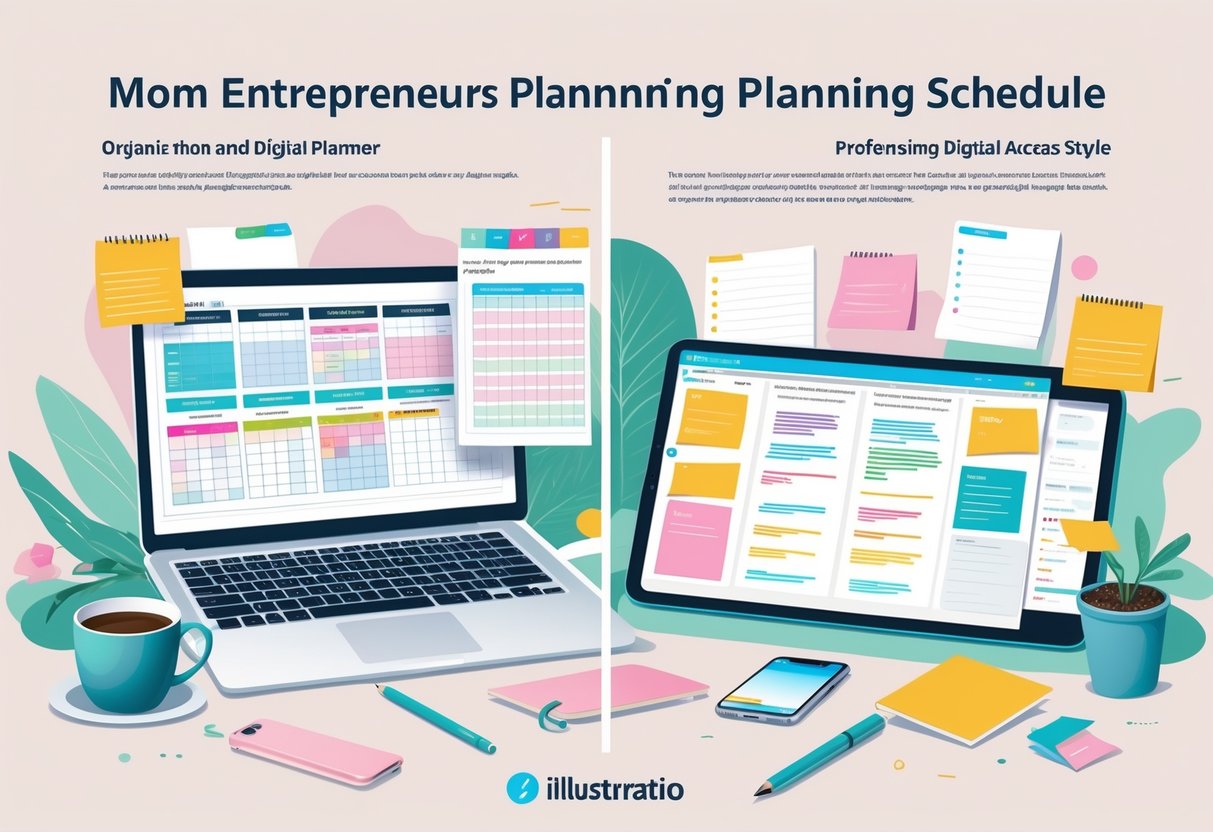
Moms juggling business calls and school pickups need note apps that make planning simple yet reliable. The main difference comes down to how each app handles structure and speed—one gives detailed control over layout and folders, while the other focuses on quick capture and flexible access.
How GoodNotes Empowers Organized Planning
GoodNotes works best for moms who like order and predictability in their day. Its structured notebook and folder system helps separate business tasks, family plans, and personal projects. Each notebook can hold custom covers, templates, and sections—ideal for tracking client goals or weekly schedules in one place.
Creating a digital planner in GoodNotes takes only a few minutes. She can import a PDF layout or start fresh with a blank page. Using color-coded folders can help her separate “Work Projects,” “Meal Plans,” and “Kids’ Activities.” This visual system eases the mental load of switching roles throughout the day.
For added structure, some moms use pre-made planner templates such as habit trackers or invoice logs. These let her focus on content, not formatting. The app’s handwriting search also makes it easy to locate old notes or quick sketches—features praised in Tablet Geeky’s comparison of GoodNotes and Notability. It suits planners who prefer writing on digital paper with a clear sense of place for every note.
Notability’s Speed and Simplicity for On-the-Go Moms
Notability favors moms who need to jot down thoughts during errands or nap times. Its subject and divider system keeps organization light, which helps users jump straight into note-taking without setting up folders.
She can open the app, tap a note, and start writing or recording instantly. Notability’s audio sync makes it a strong match for moms who record client calls or voice ideas while multitasking. The flexible layout offers drag-and-drop photos, web clips, or sketches on the same page—perfect for designs, to-do lists, or inspiration boards.
Quick labeling with dividers such as “Kids,” “Clients,” or “To-Do” keeps notes easy to find later. As Affine Pro’s 2026 review highlights, this app fits users who value simplicity and fast access over deep customization. Busy moms can treat it as a lightweight workspace to capture ideas before they disappear under the day’s chaos.
Handwriting and Annotation: Making the Most of Your Apple Pencil
Using the Apple Pencil lets busy moms plan, doodle, and take handwritten notes without juggling extra paper. Writing tools, digital ink, and annotation features turn notes into organized, searchable plans fit for both business and family life.
Handwriting Recognition and Searchability
Both GoodNotes and Notability support the Apple Pencil and turn handwriting into searchable text. In GoodNotes 6, handwriting recognition allows her to search to‑do lists, client names, or recipe notes instantly. Notability offers similar handwriting-to-text conversion, though its layout feels more streamlined for quick access.
In a head-to-head comparison, GoodNotes and Notability both perform well, but GoodNotes gives more flexibility for moms who switch between brainstorming sessions and digital planners. Its folder structure and keyword search make finding a school reminder or invoice note faster.
A simple routine helps make the most of these tools:
- Write headings in clear block letters.
- Sync notebooks to iCloud or Google Drive.
- Revisit notes weekly to tag or rename pages.
Even messy handwriting becomes useful data when searchable text keeps tasks from slipping through the cracks.
PDF Annotation and Markup Tools
Many mom entrepreneurs receive PDFs for contracts, invoices, or lesson plans. Both apps allow marking up files directly with the Apple Pencil. Notability’s smooth pen options and built‑in audio recording make it ideal for client meetings or online workshops. According to Online Tech Tips, its audio sync keeps written and spoken notes together, saving time later.
GoodNotes shines with color‑coded annotation tools and more precise shape recognition. It’s helpful when sketching mind maps or labeling product mockups. Busy moms can highlight sections, drop comments, or add checkboxes inside a PDF planner template without printing anything.
Here’s a quick comparison:
| Feature | GoodNotes | Notability |
|---|---|---|
| Color & shape tools | Excellent | Good |
| Audio syncing | No | Yes |
| Cross‑device editing | iPad, iPhone, Mac | iPad, iPhone, Mac |
| Best for | Visual planners | Quick note‑takers |
Practical Tips for Writing and Drawing
The Apple Pencil lets moms express ideas faster without clicking through menus. A few simple habits can make writing time smoother:
- Adjust pen thickness for headers and subpoints.
- Use light color coding to separate business from personal notes.
- Set up templates, like a daily planner page or a weekly content tracking sheet.
As described in Paperlike’s review, both apps support the Pencil’s pressure sensitivity, making strokes feel natural. Moms who plan, sketch, or take digital notes can use that precision to draw quick logos or wireframes between errands.
It helps to treat each notebook like a mini‑workspace. For example, one notebook might track orders, another homeschool plans. The more consistent the structure, the easier it is to stay focused when multitasking at home and at work.
Unique Features for Digital Planning
Strong features can turn digital planning from a chore into an easy daily habit. The right tools help moms juggle family, work, and creativity all in one place with less stress and more focus.
Multi-Window and Multitasking Powers
Both GoodNotes and Notability let busy moms manage multiple tasks at once through multi-window support. GoodNotes shines for structured note management—it allows users to open two notebooks side by side. This helps when comparing business goals with weekly meal plans or reviewing invoices while checking the family budget.
Notability offers a more flexible multitasking setup. Moms can split the screen between handwritten notes and another app like email or a calendar. This setup works well when multitasking between client calls and family reminders.
To boost productivity, moms can use a layout trick:
- Left window: Kids’ schedules or meal prep template.
- Right window: Daily to-do list or earnings tracker.
The multi-window design in GoodNotes, explained clearly in The Beige Journal guide, helps streamline routines and prevent app switching fatigue.
Audio Recording and Playback
Notability’s built-in audio recording is perfect for moms listening to webinars or quick client calls while cooking or commuting. Users can record meetings or voice ideas and later replay them to catch missed details. The app automatically links audio clips to notes, so tapping any written word jumps to that moment in the recording.
GoodNotes doesn’t include built-in recording, but it pairs smoothly with third-party tools. Moms who depend on voice notes can still use integrated apps for dictation or reminders.
Tip: Use short recordings—under five minutes—to keep things organized. Label each as School Meeting Notes or Product Idea Chat for quick review later. According to Tablet Geeky’s comparison, this feature often makes Notability a better fit for multitaskers who prefer audio memory over long written notes.
Infinite Canvas for Brainstorming
GoodNotes offers an infinite canvas, letting users draw mind maps or flowcharts without running out of space. For creative moms planning product launches, it’s easy to capture every idea in one continuous view. She can zoom out for the big picture or zoom in to jot smaller details.
Use this canvas for visual brainstorming sessions—business goals in one corner, social media ideas in another, and kids’ routines below. The layout mimics a physical whiteboard but stays portable and easy to edit.
To start, draw three circles for “Home,” “Business,” and “Personal.” Then, connect tasks under each heading. As noted in the Paperlike review, GoodNotes’ structured notebook and canvas system helps turn scattered thoughts into neat visual plans that keep mom entrepreneurs focused and confident.
Pricing Models: Subscription vs One-Time Purchase
Busy moms running side hustles need apps that fit both their workflow and their wallet. The right pricing model can make note‑taking easier without adding one more monthly bill. Let’s look at how each app structures their plans so users can choose what works best for their routines and budgets.
GoodNotes 6: Freemium and Flexibility
GoodNotes 6 now uses a freemium model, giving users a solid free version before asking for payment. The free plan allows up to three notebooks—a useful option for new entrepreneurs testing digital planning. Those who need more can upgrade through either a one‑time purchase of $29.99 or a yearly subscription starting at $9.99 for iOS, and $6.99 for Windows or Android, according to Online Tech Tips.
This flexibility matters. A one‑time purchase helps keep long‑term costs low, while the subscription can make sense for users who prefer smaller payments over time or want cloud sync across devices.
For practical use, moms can start free to see if digital note‑taking fits their daily planning routines. They might create one notebook for meal prep, one for business ideas, and one for client calls. When the free limit feels tight, upgrading unlocks unlimited notebooks while keeping data organized.
Notability: Subscription and Value
Notability runs on a subscription model only. Its free version has basic tools, but advanced options like unlimited editing, cloud sync, and audio recording require a paid plan. The annual Notability Plus subscription sits around $14.99 per year, based on what reviewers note in E‑Compeo’s comparison.
This approach favors consistent updates and syncing across Apple devices. For moms who rely on iPads during errands or kids’ playtime, automatic syncing saves time and prevents losing notes. However, it adds another recurring expense to track—something worth noting when balancing household apps, grocery lists, and business software.
A helpful idea: set a monthly reminder to review active subscriptions. If Notability keeps earning its place—maybe through its smooth handwriting and recording features—then the cost may justify itself like any other productivity investment.
What Makes Sense for Mompreneurs’ Budgets
Choosing between subscription and one‑time purchase pricing depends on how they plan and what matters most—predictable payments or flexibility. Moms juggling bookkeeping and kids’ schedules may prefer GoodNotes’ one‑time cost that eliminates ongoing fees, as mentioned in Paperlike’s 2026 review. Others might like Notability’s yearly plan if they rely heavily on updates and syncing.
A quick budgeting tip:
- Add each app’s cost to a planner.
- Compare the yearly total of both (see table below).
- Pick the one that fits best after 3‑6 months of testing.
| App | Model | Cost Option | Best For |
|---|---|---|---|
| GoodNotes 6 | One‑time or Subscription | $29.99 one‑time / $9.99 yearly | Users wanting flexible payment |
| Notability | Subscription | $14.99 yearly | Users preferring ongoing updates |
Trying each app during a free period helps moms make confident choices without breaking their budget.
Choosing the Best App for Your Planning Style
Each planning app fits different work habits, from visual weekly layouts to sound-based journaling. The best choice depends on how she thinks, organizes ideas, and fits digital note-taking into her family and business schedule.
When GoodNotes Works Best
GoodNotes suits moms who love structure and visuals. Its folder system, handwriting recognition, and template options help busy parents keep things neat. A mom who likes to color-code her budget, meal plan, and client list can create tabs for each goal. She can even import printable planners like Key2Success for quick setup.
For daily planning, she can use templates with preset columns:
| Column | Example Use |
|---|---|
| Tasks | Work calls, grocery runs |
| Goals | Launch new Etsy product |
| Notes | Reminder to pack soccer gear |
GoodNotes also supports Apple Pencil for those who prefer handwriting. Moms can add doodles, stickers, or photos from their camera roll to visualize schedules. According to a 2026 review from Paperlike, its one-time payment or low subscription makes it budget-friendly long term. That’s a win for anyone managing both business and daycare costs.
Situations Perfect for Notability
Notability shines when multitasking is a daily norm. Moms juggling client calls and nap schedules can use the audio recording sync feature to play back what they missed and write notes alongside it. The app’s design helps capture thoughts in fast-moving moments without losing track.
A small business owner might start her morning recording ideas, then later highlight key phrases tied to her voice notes. The smooth typing and handwriting mix lets her map plans fast. She can drag in PDFs, edit slide decks, or annotate contracts in one view, which simplifies digital note-taking during coaching sessions or Zoom calls.
For goal setting, she could create a quick list formatted like this:
- Track package delivery times
- Record client feedback audio
- Highlight key growth ideas
As explained on Tablet Geeky, Notability blends creative and practical tools that work well for entrepreneurs who switch contexts often.
Frequently Asked Questions
Busy moms juggling family and business goals often need digital tools that save time and reduce stress. The right app can help them plan schedules, manage clients, and organize daily tasks in one place. Both GoodNotes and Notability offer strong notes, organization, and syncing tools—each with some unique strengths.
What are the top features that differentiate GoodNotes and Notability for personal business planning?
GoodNotes stands out for its folder system and flexible page organization. It lets users create nested folders and notebooks, which helps keep projects separate—like tracking client orders or family appointments. Several reviews, including Paperlike’s comparison, highlight how GoodNotes offers advanced organization and customization tools that make it great for planners.
Notability leans on audio recording and fast note capture. That’s helpful for moms who record client meetings or brainstorming sessions while multitasking. Its sidebar navigation makes flipping through notes simple, especially when referencing details during calls or school pickup deadlines.
Can someone share their experience with using both GoodNotes and Notability for managing a home-based business?
Many users find that GoodNotes feels more structured, while Notability feels quick and spontaneous. Someone running a home craft shop, for example, could use GoodNotes to keep track of product inventory and income logs, while Notability could manage voice notes from customer feedback or live sales ideas.
A helpful tip—make a “Daily Dashboard” template in either app that includes blocks for Top 3 Tasks, Kids’ Schedules, and Client Communications. This keeps everything visible in one view, even on busy mornings.
How do the costs compare between GoodNotes and Notability for an entrepreneur on a budget?
GoodNotes offers a one-time purchase or an optional yearly subscription, depending on the version and extra cloud features. Notability, on the other hand, uses a subscription model where many premium tools stay locked without a paid plan, as explained in the 2026 Software Advice comparison.
For moms budgeting carefully, paying once for a stable app like GoodNotes may make more sense long term. However, those who rely on audio notes may still find Notability’s ongoing subscription worth the cost.
Are there any significant limitations in GoodNotes that I should be aware of when using it for scheduling and planning tasks?
GoodNotes doesn’t currently support built-in audio recording or quick note linking between pages. That may frustrate moms who like making verbal reminders or connecting tasks across notebooks. It also lacks automatic sync triggers as fast as some competitors, which might slow updates between iPad and phone.
To work around this, users can create hyperlinked planner templates that link calendar pages together for smoother navigation. Some moms also import PDFs from planning websites to fill scheduling gaps.
Should I consider switching to GoodNotes from Notability if my focus is on planning and organizing my business?
If her focus is on visual planning and she loves layouts like digital bullet journals, GoodNotes will likely suit her better. The Affine review points out that GoodNotes 6 shines for deep customization and study-style organization tools, which easily adapt to business planning.
Moms who already use Notability might stay if they rely heavily on audio notes or prefer simpler, faster capture. Switching makes sense if she values detailed digital planners, color coding, and having all tasks categorized in folders.
Between GoodNotes and Notability, which app provides better support for multitasking for busy moms running their businesses?
Both apps support split-screen multitasking on iPad, but each handles it differently. GoodNotes allows multiple tabs, which lets users open a to-do list and a project notebook side by side. Notability is great for recording voice notes while checking reference materials during calls or coaching sessions, as noted by Manifest.ly’s 2026 guide.
Moms balancing dinner prep and client work can test both apps with a five-day challenge—keep work on one app for a few days, then switch. Track which one feels faster and less stressful during school runs, calls, and planning time.